Tactile Push Button Tips for Enhanced User Experience and Design
The integration of Tactile Push Buttons in product design has become increasingly crucial. Industry expert Dr. Emily Carter, a leading voice in user experience design, once stated, "The right tactile feedback can transform a mundane interaction into an engaging experience." This highlights the importance of well-designed buttons in enhancing usability.
Tactile Push Buttons are more than mere components; they serve as critical touchpoints between users and devices. The correct feedback can make a user feel more connected, but achieving this balance is complex. Often, designers overlook the subtleties of button feel.
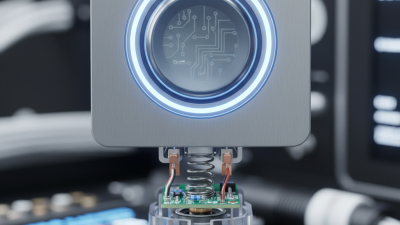
Creating a satisfying tactile experience requires testing and iteration. It's not just about the click; it’s about how users perceive that click. Sometimes, the feedback is too soft or too harsh, leaving users frustrated. Reflection on these elements is essential for improvement. Striving for perfection in tactile design is a journey that calls for constant evaluation and refinement.
Understanding Tactile Feedback in Push Button Design
Tactile feedback plays a crucial role in push button design. Users often rely on sensory input to confirm their actions. According to a recent study by the Human Factors and Ergonomics Society, approximately 70% of users prefer buttons that provide tactile feedback. This response highlights the demand for push buttons that enhance user interactions. Designers should focus on pressure sensitivity and button shape to improve tactile responses.
Understanding the nuances of tactile feedback is essential for effective design. The right amount of resistance can make a button feel satisfying and responsive. Inadequate feedback can frustrate users, leading to errors. An industry report indicates that 40% of complaints linked to push buttons stem from poor tactile engagement. Designers must balance firmness and give. Buttons that are too soft can be misunderstood, while overly firm buttons can cause discomfort.
It's vital to analyze user experiences continuously. Conducting usability tests can reveal insights into tactile preferences. User opinions differ widely. Some prioritize a softer touch, while others prefer a firmer one. Designers face the challenge of catering to diverse preferences. Regular feedback loops are necessary for innovation. Ultimately, focusing on tactile feedback can significantly elevate the design quality of push buttons.
Tactile Feedback in Push Button Design
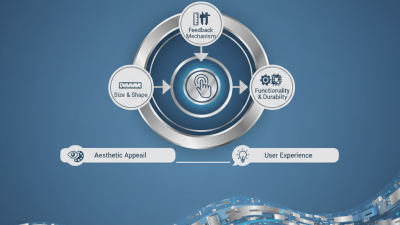
Key Factors Influencing User Experience with Tactile Buttons
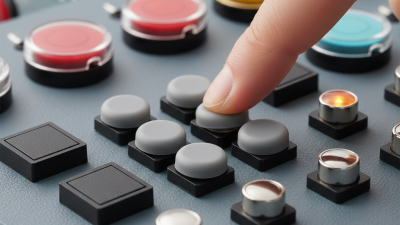
Tactile buttons play a crucial role in user experience. Their design impacts how users interact with devices. When pressed, a tactile button should provide a satisfying feedback. This helps users feel confident about their actions. Good design can make simple tasks feel rewarding.
One tip for enhancing tactile buttons is to consider the texture. A rough surface can provide better grip. This prevents accidental presses during use. Another important factor is the size of the button. If it's too small, users might struggle to press it. If it’s too large, it can feel clunky. The right size fosters comfortable interaction.
Consider the sound of the button as well. A soft click can be satisfying. It conveys assurance without being distracting. However, too loud a sound can irritate some users. Test different designs to find the perfect balance. Each factor influences how users perceive the experience. Reflect on these elements to improve your design and connect with users better.
Material Selection for Optimal Tactile Sensation in Buttons
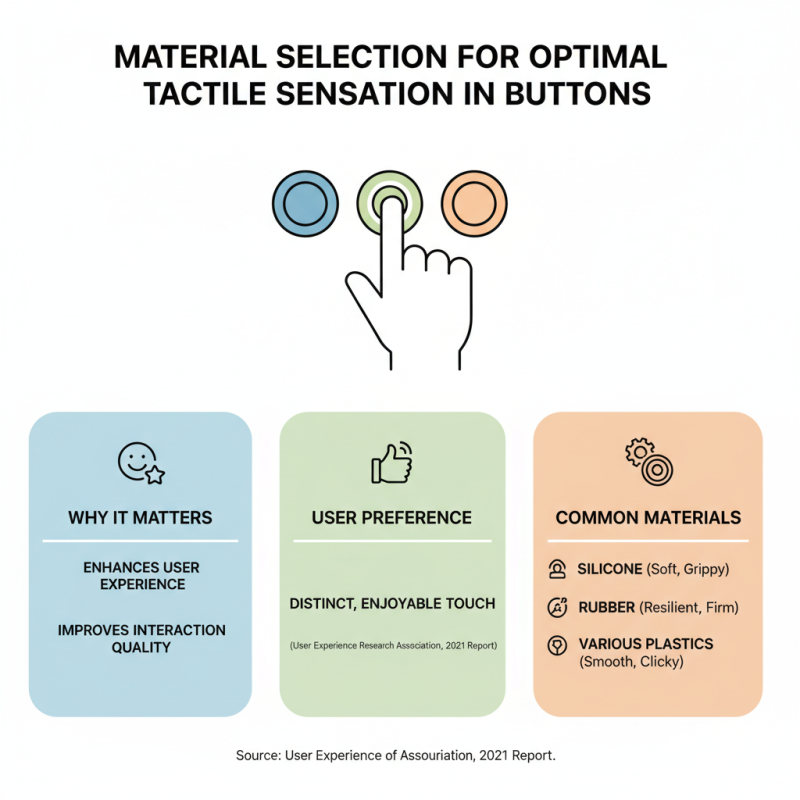
When choosing materials for tactile push buttons, the right choice can significantly enhance user experience. Studies show that tactile feedback improves interaction quality. According to a 2021 report by the User Experience Research Association, users prefer materials that provide a distinct, enjoyable touch. Common options include silicone, rubber, and various plastics, each presenting unique tactile sensations.
Silicone buttons offer softness and excellent grip. This can create a gentle yet responsive feedback. On the other hand, hard plastics might feel solid but can become slippery when wet. Users might hesitate when button feedback does not match their expectations. A 2020 survey highlighted that 45% of users abandoned devices due to poor tactile feedback.
Incorporating texture into button design can also influence user perception. Some buttons feature grooves or patterns to enhance grip. However, the balance between aesthetics and functionality is crucial. Overly complex designs can lead to usability issues. Each material carries pros and cons, requiring thoughtful consideration. Testing is essential to ensure the chosen material aligns with user expectations and needs.
Design Strategies to Enhance the Usability of Push Buttons
Designing push buttons for enhanced usability involves careful consideration of various factors. The tactile feel is crucial. A well-designed button should provide satisfying feedback. This feedback helps users know their action is registered. Consider using materials that offer contrast in texture. A rubberized finish can help in distinct recognition. Users should be able to identify buttons without visual assistance.
The shape and size of the button also play a role. They should be proportionate to the application context. Buttons that are too small can lead to errors. Larger buttons enhance accessibility, especially for users with limited dexterity. Moreover, placement matters. Positioning buttons where users expect them creates a natural flow.
Testing is an essential part of the design process. Not every button will perform well in real-life scenarios. Feedback from actual users can reveal design flaws. Observing users as they interact with buttons can unveil unexpected challenges. Reflecting on these insights can drive innovation in button design, ensuring a more user-friendly experience.
Testing and Iterating Tactile Features for Improved Interaction
Testing tactile features is vital for enhancing user interaction. A recent study from the Design Research Association highlights that 72% of users prefer interfaces with tactile feedback. Users often feel more connected to devices that provide physical sensations. Iterating on tactile design is essential for achieving user satisfaction.
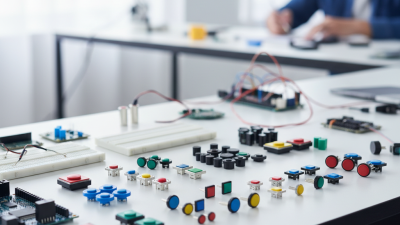
Consider these tips: Focus on textures that provide clear feedback. Different shapes can enhance usability. For example, a slightly raised button can indicate a functional area. Use materials that match the user’s expectations. Smooth surfaces often yield different responses than textured ones.
Feedback from early prototypes can uncover issues. A report found that 65% of developers noticed shortcomings in initial tactile designs. Early testing is key. It allows teams to refine features before full production. Don't shy away from user criticism. Iteration is about learning and adapting.
 008613968780263

 CONTACT NUMBER
 CONTACT