How to Choose the Right Power Jack for Your Electronic Devices
In the rapidly evolving landscape of electronic devices, the importance of selecting the appropriate power jack cannot be overstated. With a significant rise in the demand for electronic gadgets, the global power jack market is projected to reach approximately $2.5 billion by 2026, growing at a CAGR of 5.2% from 2021. These statistics highlight the critical need for manufacturers and consumers alike to understand the nuances of power jack specifications, to ensure compatibility and safety in electronic applications.
Power jacks serve as the essential interface for powering and charging devices, ranging from laptops to mobile phones. A poorly chosen power jack can lead to inefficiencies, compatibility issues, and even safety hazards. According to a recent industry report, nearly 30% of electronic device failures can be traced back to inadequate power connections. Thus, understanding the different types of power jacks—such as barrel connectors, USB connectors, and proprietary designs—is key to making informed decisions that meet both performance and reliability standards. As the market continues to innovate, keeping abreast of the latest developments in power jack technology will be vital for optimizing device functionality and longevity.
Understanding the Different Types of Power Jacks Available
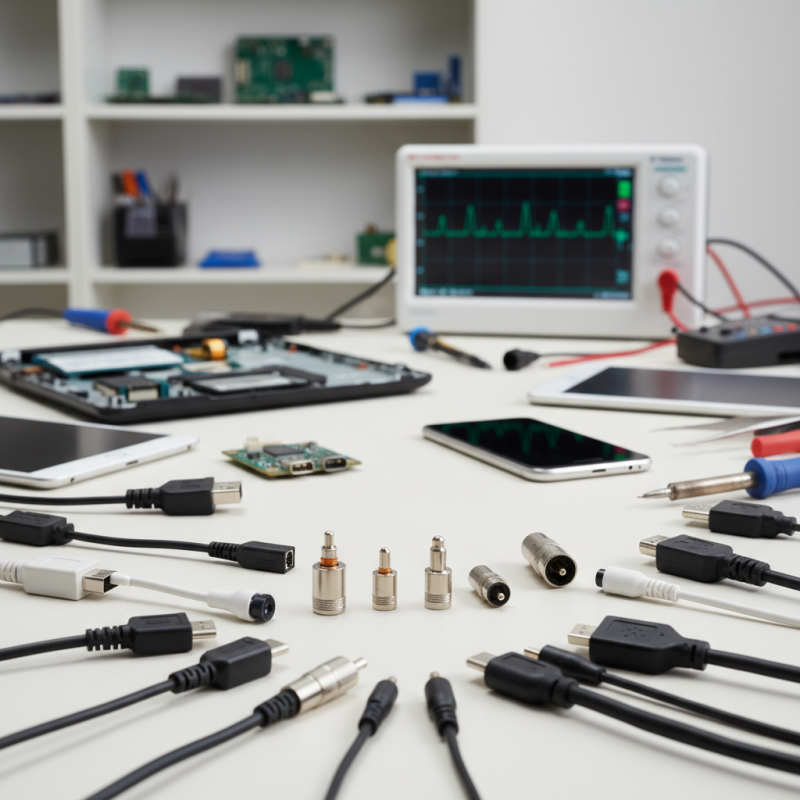
When selecting the appropriate power jack for your electronic devices, it is crucial to understand the various types available on the market. Power jacks, also known as DC connectors, come in numerous styles and specifications tailored for different applications. According to industry reports, there are three primary categories of power jacks: barrel connectors, USB connectors, and locking connectors. Barrel connectors are the most common, typically found in laptops and portable electronics, whereas USB connectors, particularly the USB-C variant, have gained popularity due to their versatility and ability to provide power along with data transfer.
One essential tip when choosing a power jack is to ensure compatibility with the voltage and amperage requirements of your device. According to the International Electrotechnical Commission, using an incompatible power jack can lead to over-voltage conditions or insufficient power delivery, both of which may damage electronic components. Additionally, consider the size and shape of the power jack, as space constraints in compact devices often dictate whether a standard or custom connector is needed.
Another factor to consider is the environmental conditions in which the device will operate. For instance, locking connectors are preferable in applications where movement could easily dislodge a standard connector. Reports indicate that choosing the right locking mechanism can enhance your device's durability, especially in rugged settings. Always prioritize selecting a power jack that not only fits your device's technical specifications but also suits its operational environment to ensure optimal performance.
How to Choose the Right Power Jack for Your Electronic Devices - Understanding the Different Types of Power Jacks Available
| Power Jack Type |
Voltage Rating |
Current Rating |
Common Applications |
Advantages |
Disadvantages |
| Barrel Jack |
5V - 12V |
1A - 5A |
Laptops, routers |
Widely used, easy to connect |
Can be bulky, potential for loose connection |
| Micro USB |
5V |
Up to 2.5A |
Smartphones, tablets |
Compact, reversible design |
Limited to 5V, wear and tear on connectors |
| USB-C |
5V - 20V |
Up to 5A |
Laptops, gaming consoles |
Versatile, supports fast charging |
Compatibility issues with older devices |
| DC Connector |
3V - 24V |
Up to 10A |
Embedded systems, industrial devices |
Reliable for various voltages |
Requires specific connectors for each voltage |
| XT60 Connector |
Up to 14V |
Up to 60A |
RC and drone applications |
High current capacity, secure connection |
Not suitable for low-power devices |
Key Factors to Consider When Selecting a Power Jack
When selecting a power jack for your electronic devices, several key factors must be taken into account to ensure compatibility and performance. The first consideration is the voltage and current specifications required by your device. Every electronic device has specific power requirements, and choosing a power jack that matches these specifications is crucial to prevent damage. Always check the voltage rating to ensure it's compatible and verify the current rating to confirm that the power jack can handle the device's needs without overheating.
Another important factor is the physical dimensions and design of the power jack. The shape, size, and pin configuration must align with your device's input port. A mismatch can lead to improper connections or even physical damage. Additionally, consider the type of connection you need; some devices may require a secure locking mechanism, while others might prefer a simple plug-and-play option. Lastly, evaluate the build quality and durability of the power jack, particularly if the device will be used in environments where it may be exposed to wear and tear. Opting for robust materials can enhance the longevity and reliability of your device's power connection.
Compatibility: Ensuring Your Jack Matches Device Requirements
When choosing the right power jack for your electronic devices, compatibility is the key factor to consider. Every device has specific power requirements, including voltage, current, and polarity, which need to be matched by the power jack. Failing to ensure compatibility can lead to inadequate performance or even damage to your device. Therefore, before purchasing a jack, check the manufacturer's specifications for your device to find the exact requirements for power input.
**Tips:** First, always verify the voltage rating of the power jack; it should match or slightly exceed your device's voltage requirement. Secondly, pay close attention to the current rating; a jack that can't provide sufficient current may lead to poor performance or failure to power on. Finally, ensure that the polarity of the jack matches that of your device, as reversing polarity can cause serious damage.
Understanding these compatibility considerations is crucial for prolonging the lifespan of your electronic devices. Take the time to research and select a power jack that not only fits physically but also meets all the electrical specifications required to safely and effectively power your equipment.
Power Jack Compatibility Analysis
Evaluating Voltage and Current Ratings for Safe Use
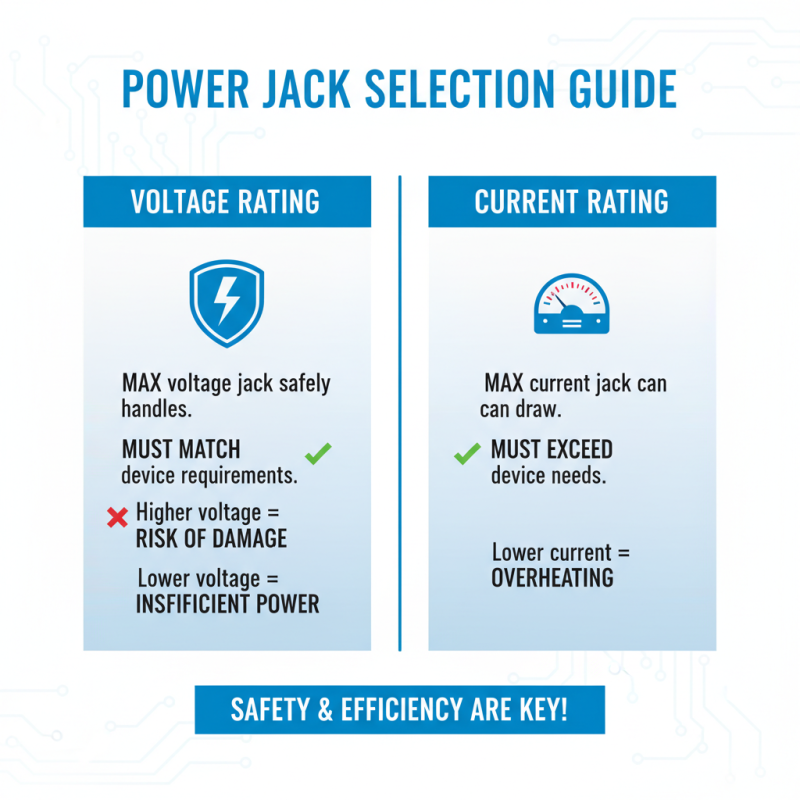
When selecting a power jack for your electronic devices, understanding the voltage and current ratings is crucial for ensuring safe and efficient operation. Voltage rating indicates the maximum voltage that the jack can safely handle without risking damage or failure. It’s essential to match the power jack voltage with your device's specific requirements. Using a jack with a higher voltage than needed can lead to overheating or even catastrophic failure, while a lower voltage may result in insufficient power delivery, causing the device to malfunction.
Current rating, on the other hand, defines the amount of electrical current that can flow through the jack without causing overheating or damage. It is often measured in amperes (A). To ensure safety, the current rating of the power jack should equal or exceed the device's consumption requirements. If a power jack is undersized for the current needed, it can lead to excess heat generation, posing a risk of fire or damage to both the power supply and the connected device. Therefore, evaluating these ratings is essential for achieving optimal performance and safety in your electronic projects.
Installation Tips for Connecting Power Jacks Effectively
When connecting power jacks to your electronic devices, proper installation is key to ensuring functionality and safety. Start by selecting the appropriate power jack that matches the voltage and current specifications of your device. This not only prevents power issues but also protects against potential damage. Once you have the right jack, ensure your workspace is clean and free of any static electricity that could harm sensitive components.
One important tip is to carefully strip and prepare the wires before connecting them to the jack. Use a wire stripper to remove only a small section of insulation; this minimizes frayed ends and ensures a secure connection. Make sure to twist the wires together tightly before inserting them into the power jack to maintain a stable electrical flow. Additionally, always double-check the orientation and polarity of the wires, as improper connections can lead to malfunctions.
Lastly, use heat shrink tubing or electrical tape to secure and insulate the connections once they are made. This not only protects the wiring from shorts and environmental factors but also helps maintain a tidy appearance. Taking the time to follow these installation tips will lead to a functional and safer electronic device powered effectively.
 008613968780263

 CONTACT NUMBER
 CONTACT